INDUSTRY:

User Experience

CLIENT:

Austin Childcare Connection

YEAR:

2024

TYPE:

iOS Mobile Design
Austin Childcare Connection

Brief

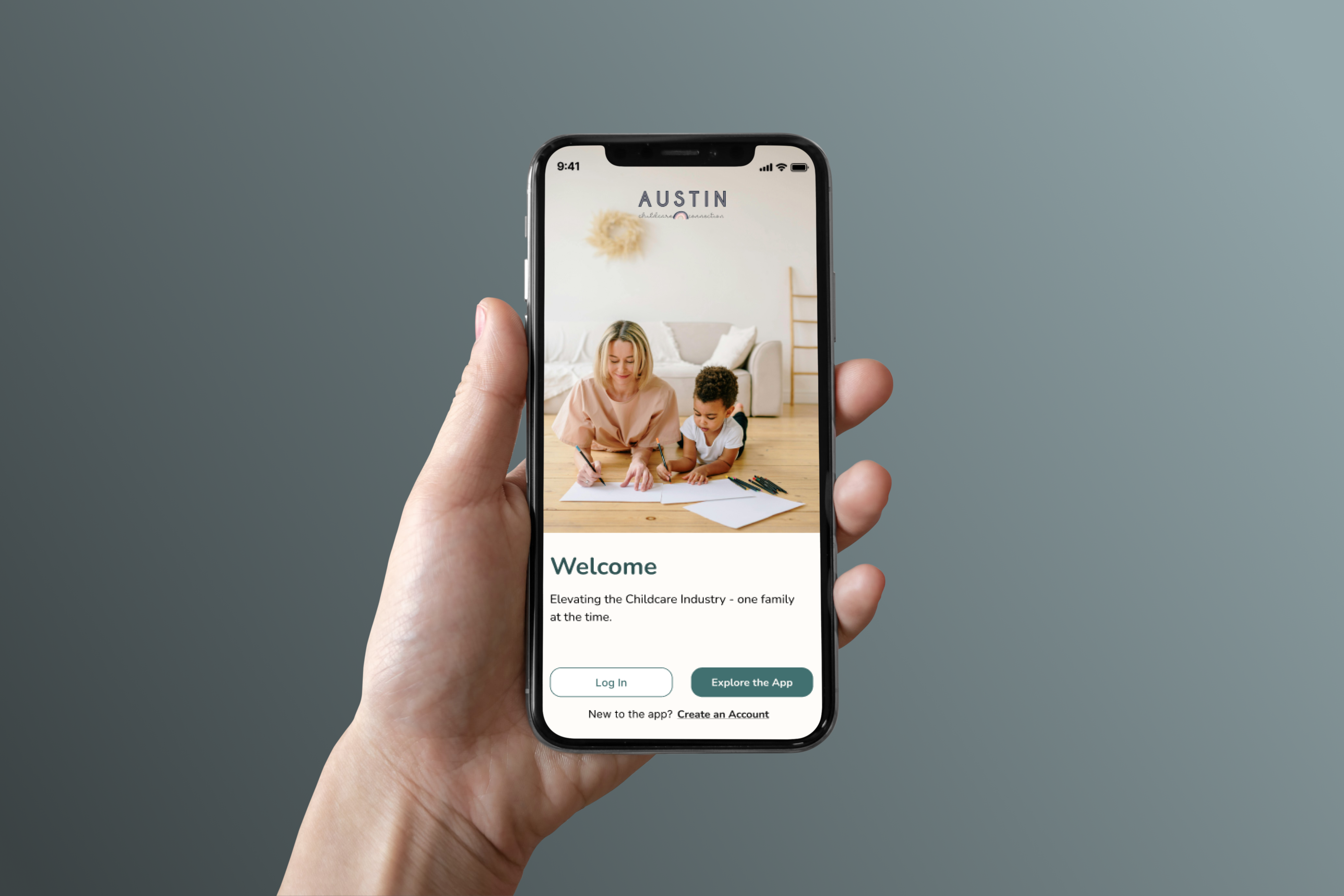
How we proved that trust, communication, and transparency can foster connection. For our client, we created a parent-focused journey that gives families the ability to view Austin Childcare Connections diverse offerings, signup seamlessly, and customize their preferences to find the perfect caregiver, tailored to their unique needs. 

Concept & Objective

Austin Childcare Connection: An iOS app connecting parents with trusted caregivers through an intuitive, inclusive platform designed to build confidence and foster long-term engagement.

Challenge

Finding skilled childcare is not a quick and easy task. It can be hard for parents to find the right caregiver who hold real experience and are reliable. Trust is vital in this industry.

This is why:

  • Parents trusting the company to find and recommend reliable and trustworthy caretakers for their children.
  • Offering company transparency.
  • Finding care that fits your specific and unique family needs.
  • Creating a mobile caretaking application for parents of all orientations.

Solution

This is how we addressed key user pain points:

  • Speak to both mothers and fathers to discuss their unique needs for themselves and their families.
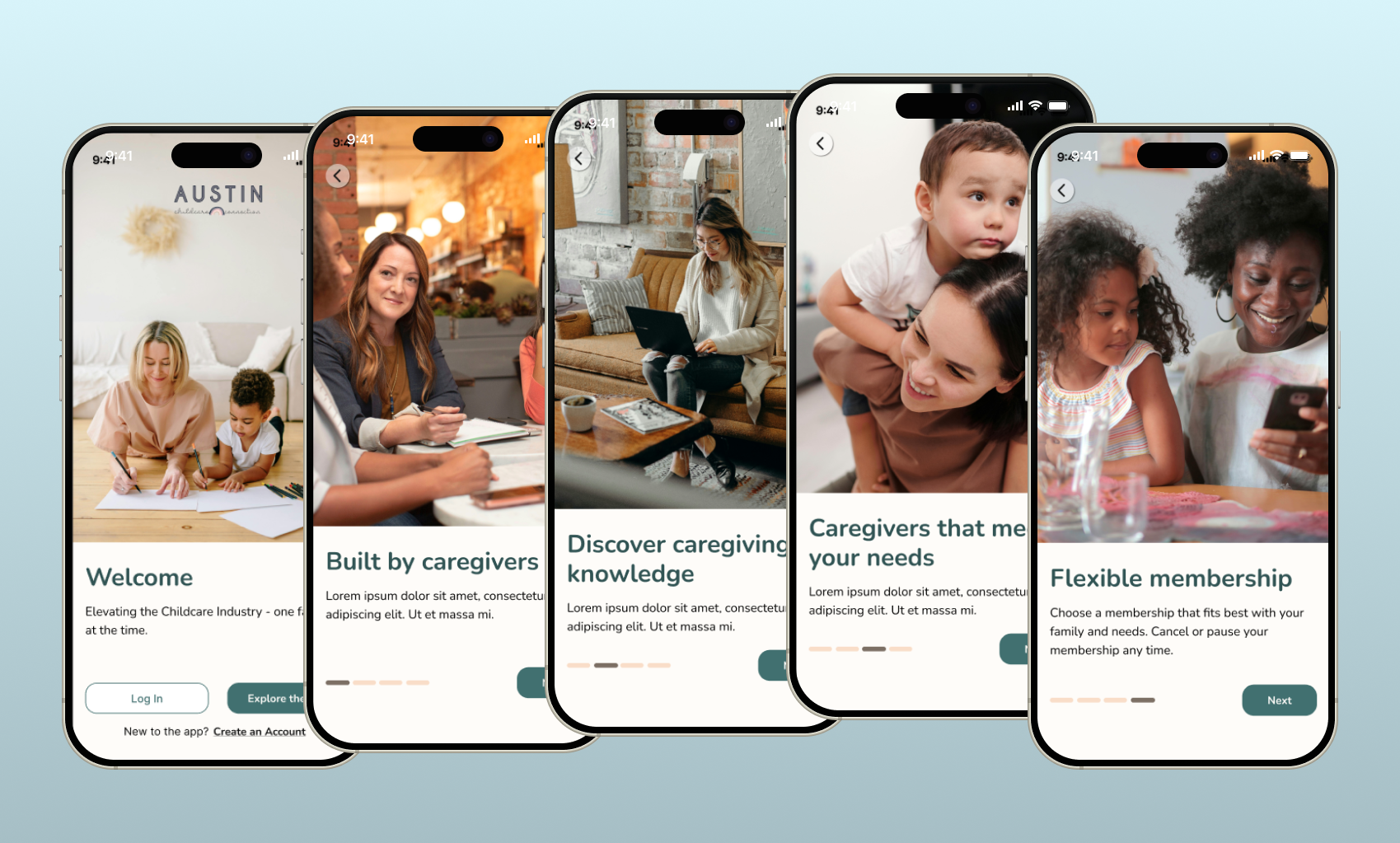
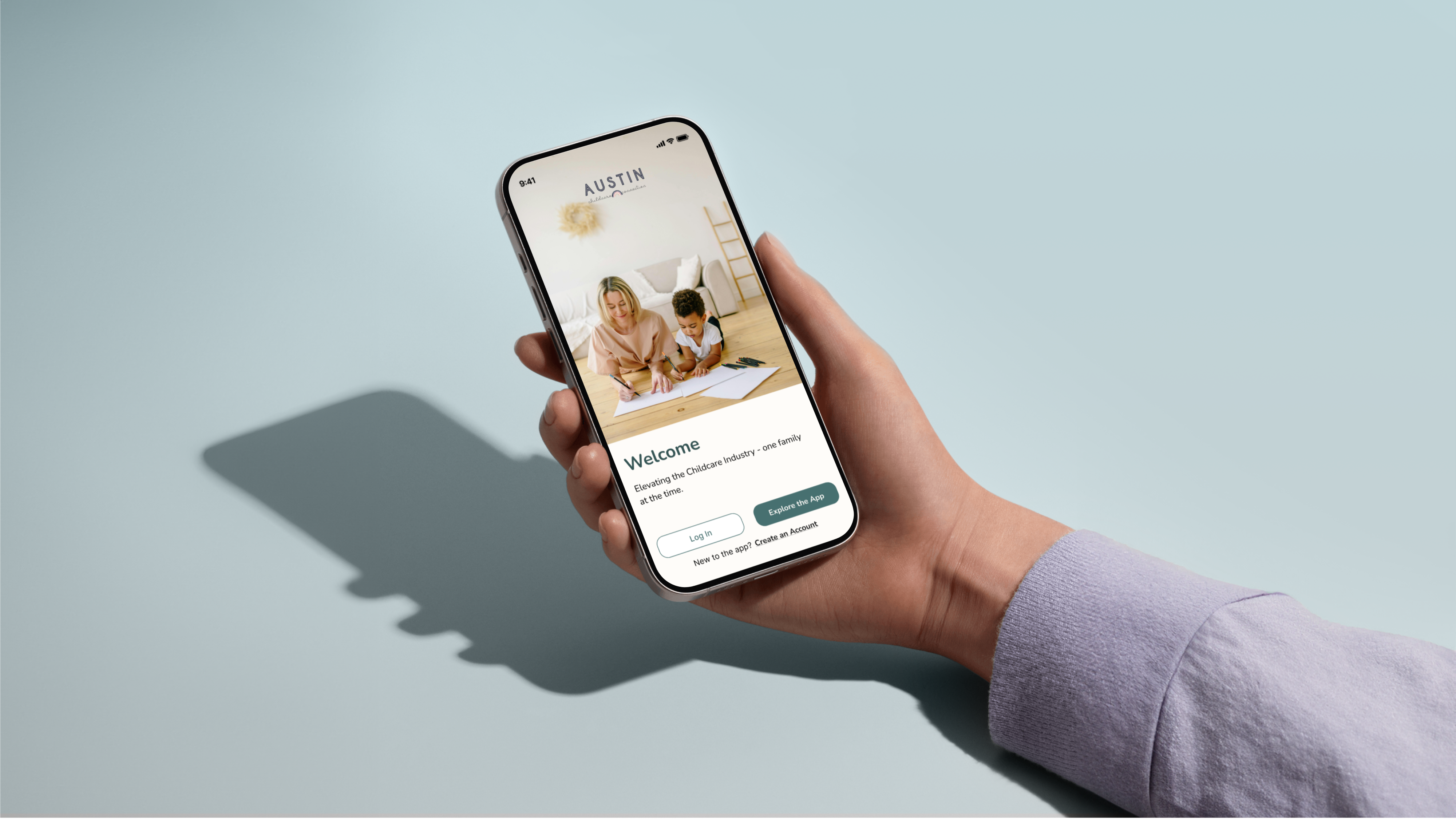
  • Allowing users discover and explore the app before any commitments.
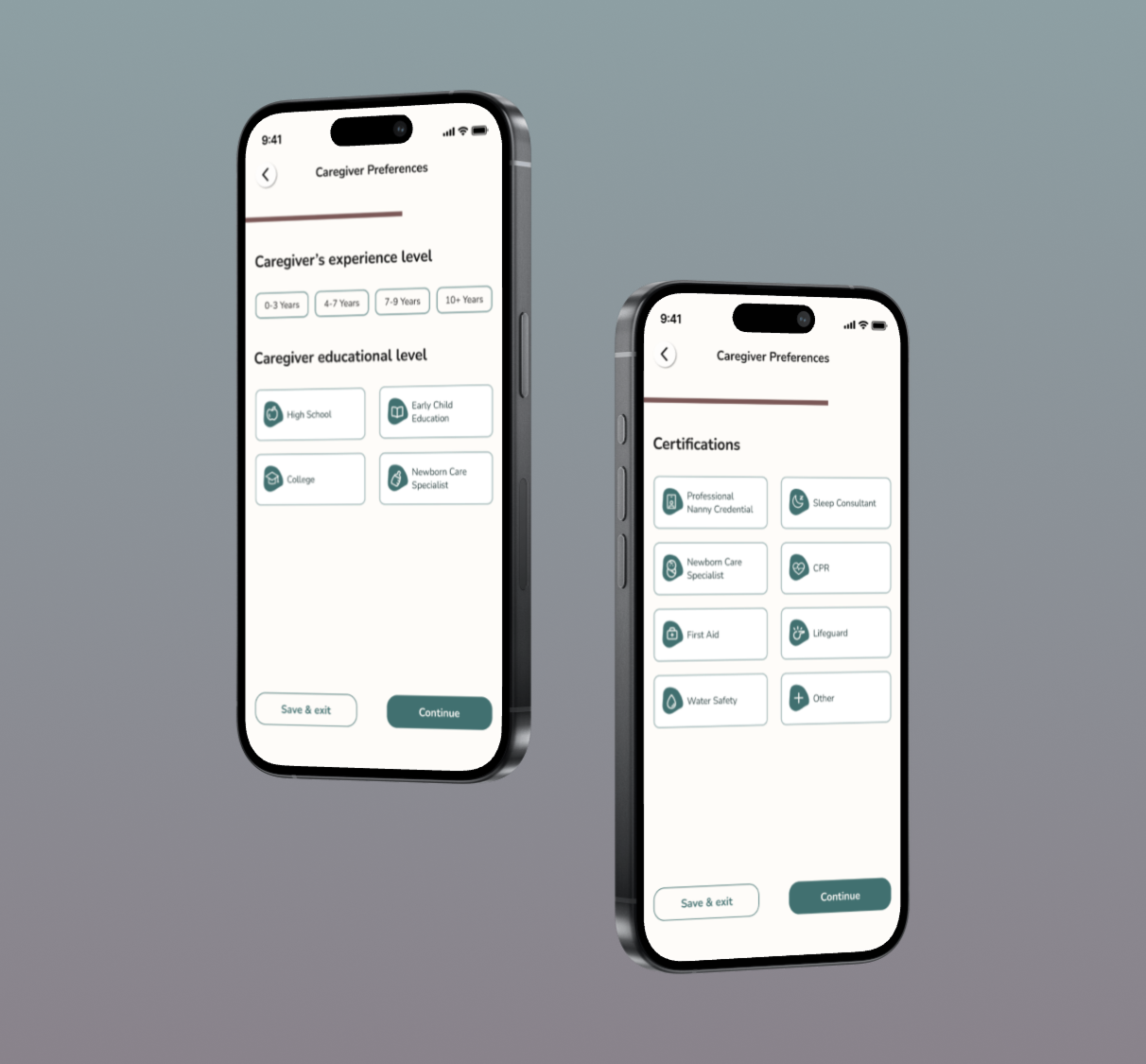
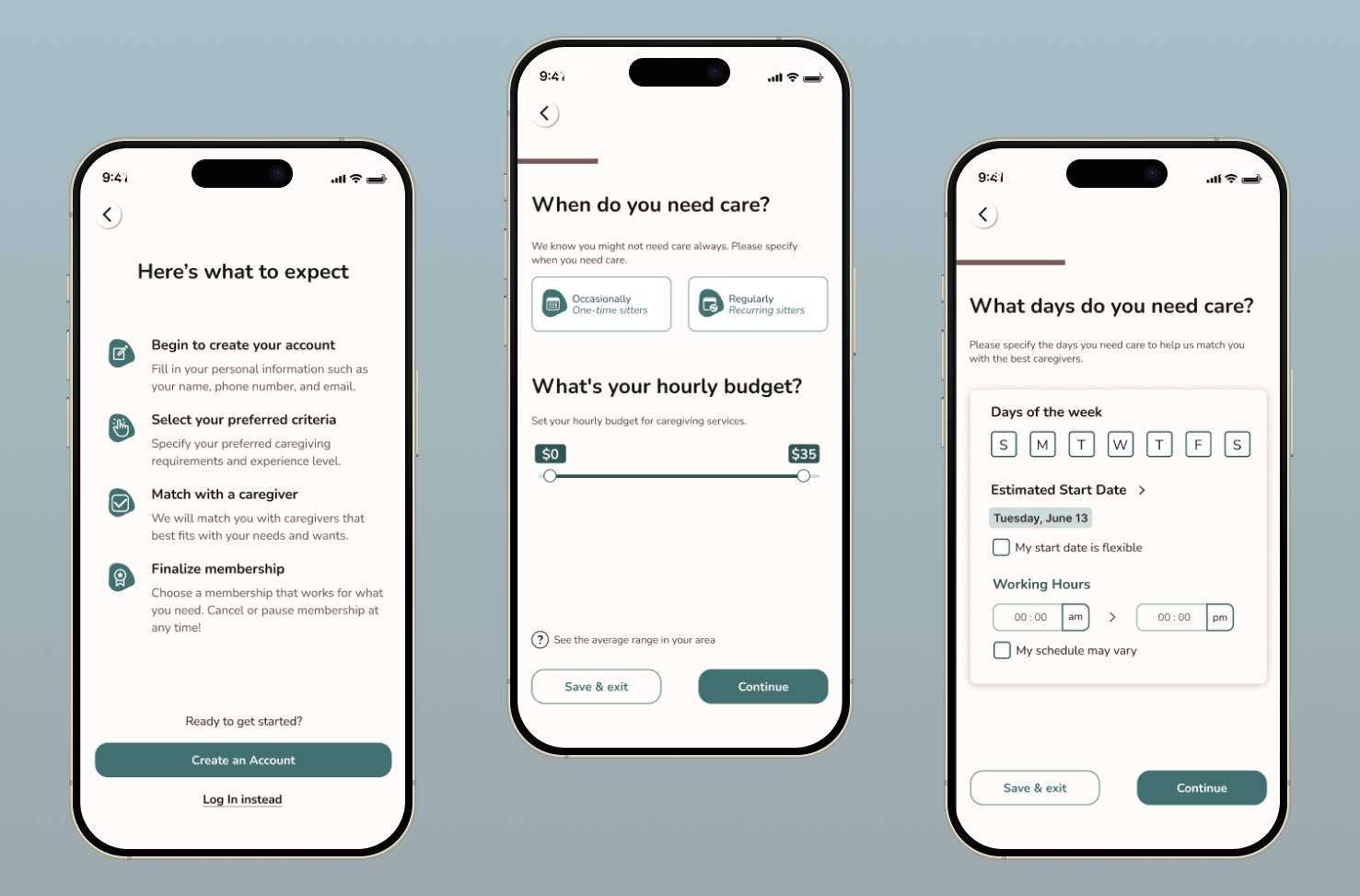
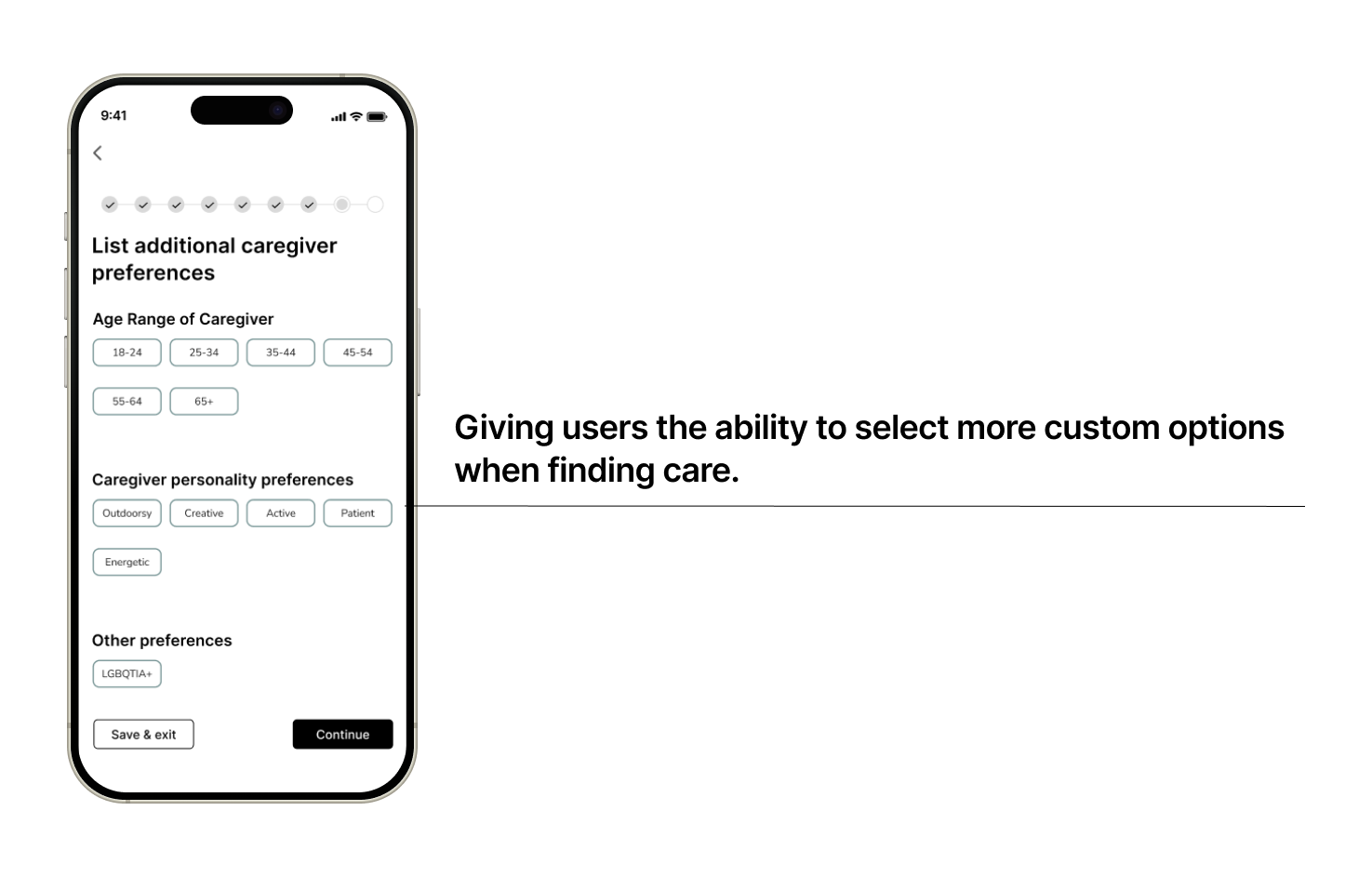
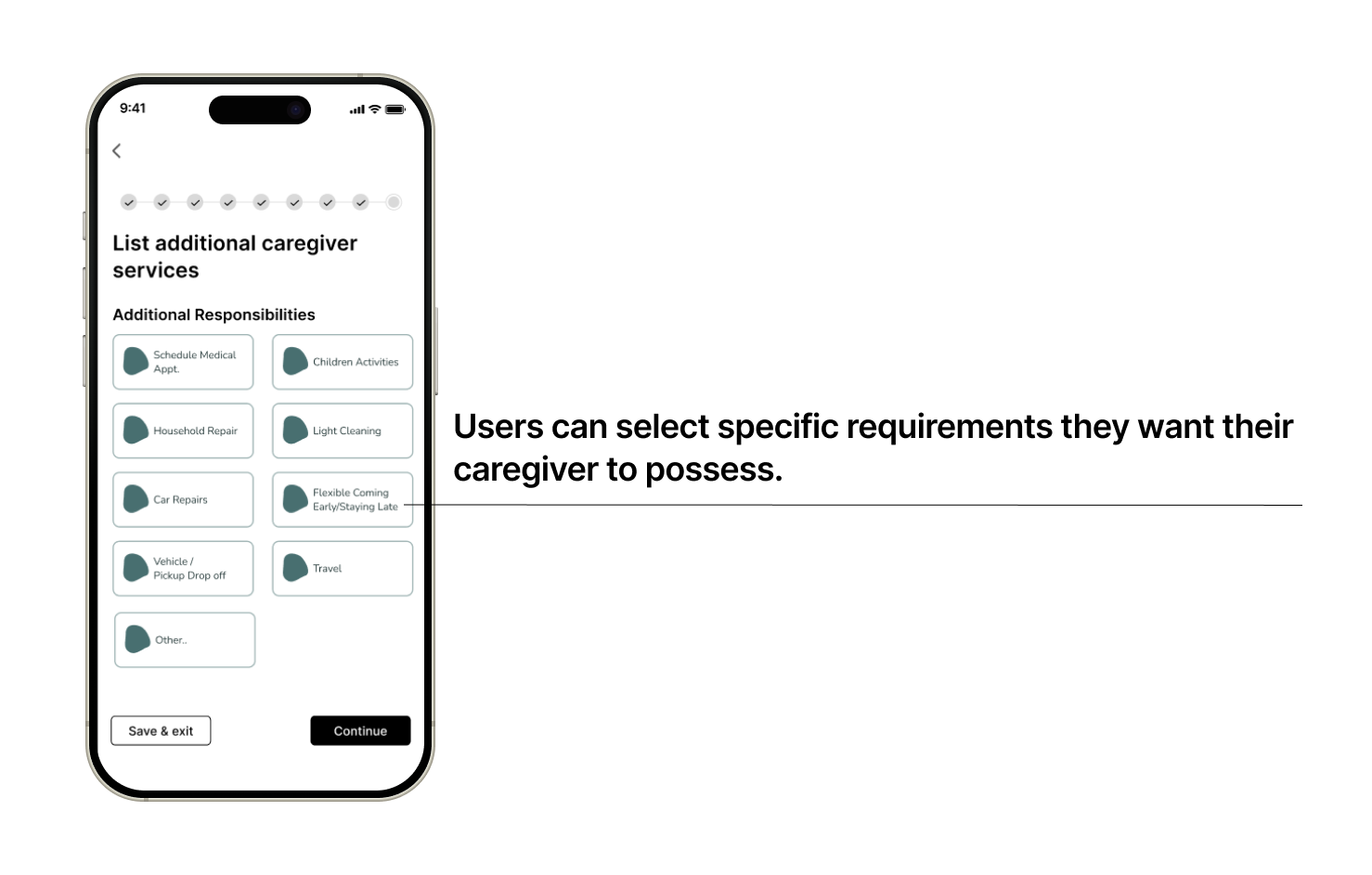
  • Users can pick and choose their specific needs to find a caregiver that best matches with their needs.
  • Conducted user research, analyzed industry best practices, synthesized insights, and performed accessibility/heuristic evaluations to deliver high-fidelity prototypes and interactive mockups.

User Interviews

  • We interviewed 6 users that consisted of fathers, mothers, and queer parents who utilize child caregiving on a daily bases.
  • Users ages ranged between 35 and 40 years old and were based in California, Colorado, and Texas.
  • We wanted to understand what their needs, pain points, and preferences surrounding childcare and overall online experiences.

What We Asked

  • How often do you use childcare?
  • What caregiving skills and services do you want your caregiver to have?
  • Have you ever faced challenges when searching for childcare services?
  • What makes your favorite app/website memorable and welcoming for you?

Interview Insights

We had found that users wanted caregivers to have a good amount of caregiving experience. They wanted people to be reliable and know what to do if an emergency came up.

  • 6/6 users wanted a range of availability. Users found it important to find care full time, part time, and also on a quick notice.
  • 4/6 of users said having on onboarding feature was helpful
  • 6/6 users were concerned about safety. They expressed wanting caregivers to have a background check and are CPR certified.
  • 5/6 users wanted membership flexibility.
  • Other insights:
  • Reviews and referrals are important to users. They want to know as much as they can about a caregiver before hire.
  • Being able to trust someone with their children and know what to do in an emergency.
  • And lastly, personality. Users mentioned they want someone their kid and the family can get a long with.

“Language is important for me because if my son cannot speak in Italian, he won’t have the opportunity to communicate with my parents unless I’m translating.”

- Stefano

“I have faced challenges of finding available caregivers for the specific times I need them to be available.”

- Emily

Problem Statement

Working parents are frustrated when trying to find a caregiver who matches both their criteria and their children's needs. They need an ethical and transparent platform to connect with caregivers who are experienced in childcare, prioritize safety, and are reliable.

Task Analysis

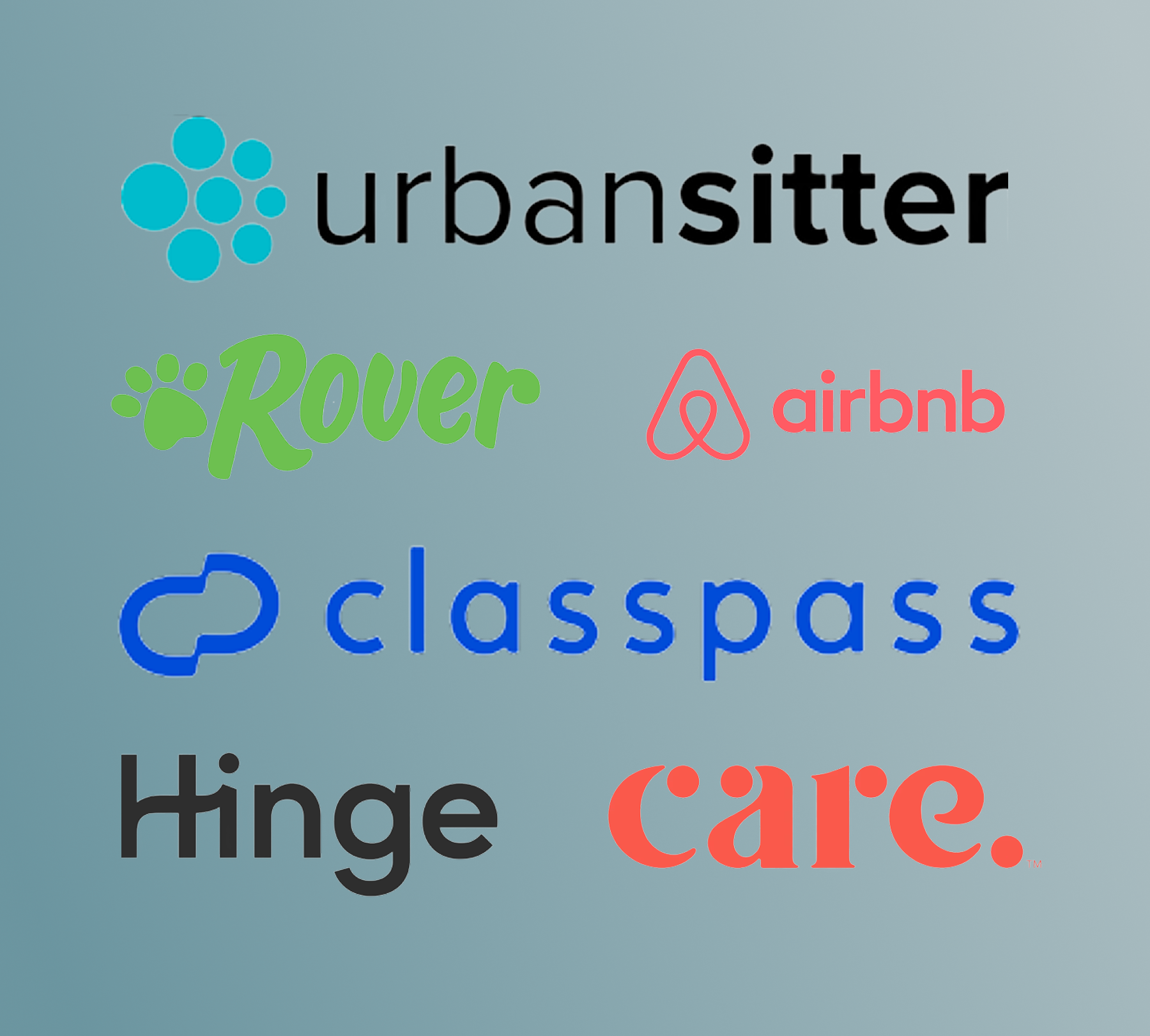
Conducted a task analysis across six leading companies to identify industry-standard features and elements that are concise and cohesive along with the signup process and app exploration phase.

Interview Insights

  • We had found that users wanted caregivers to have a good amount of caregiving experience. They wanted people to be reliable and know what to do if an emergency came up.


  • 6/6 users wanted a range of availability. Users found it important to find care full time, part time, and also on a quick notice.


  • 4/6 of users said having on onboarding feature was helpful


  • 6/6 users were concerned about safety. They expressed wanting caregivers to have a background check and are CPR certified.


  • 5/6 users wanted membership flexibility.


Other insights:


  • Reviews and referrals are important to users. They want to know as much as they can about a caregiver before hire.


  • Being able to trust someone with their children and know what to do in an emergency.


  • And lastly, personality. Users mentioned they want someone their kid and the family can get a long with.

Awareness and Safety is For Everyone

After interviewing with queer users, they made it clear that their families needed to know that they would be safe when finding care. They wanted to be sure that they could get caretakers who are aware of their family orientation and/or were also within the queer community. 


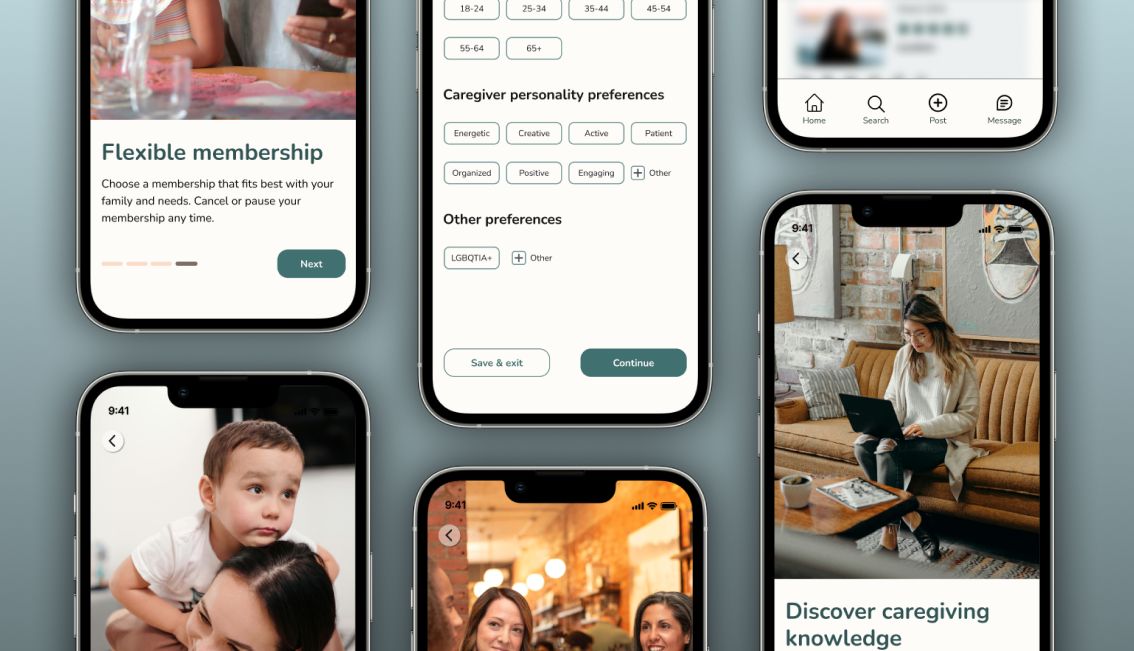
The solution to what we had learned after the interviews, was to create an option for parents to select “LGBTQ” under “Other Preferences.” The selection is optional but can help users feel more secure and confident when finding new caretakers.

Usability Testing

  • Conducted 4 usability tests with users who were our previous user interviewees.
  • Users consisted of mothers and queer parents who utilize child caregiving on a daily basis.

Usability Tasks

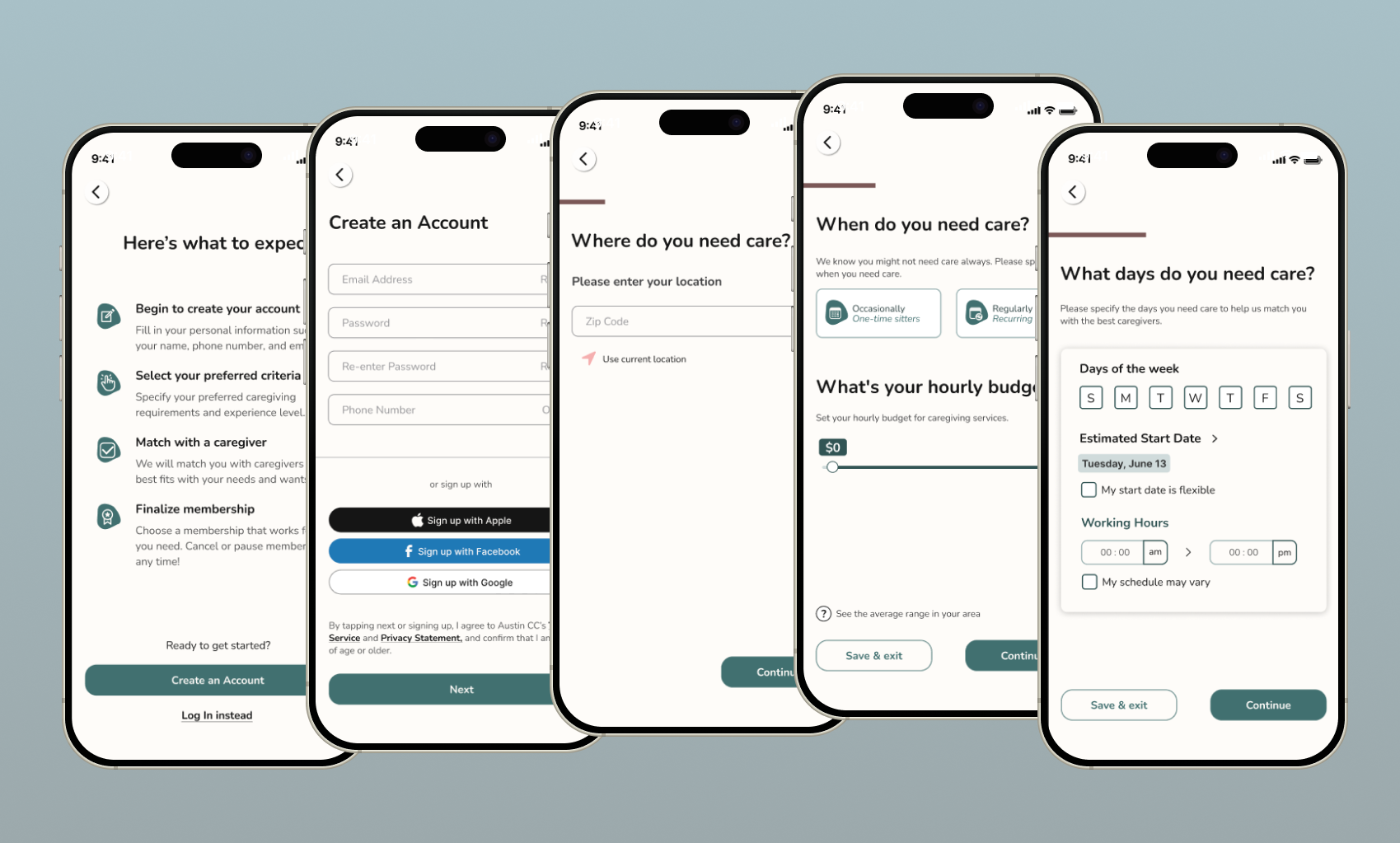
  • Task 1: Can you show me how you would learn about the platform and move on to creating a job to hire a caregiver. There are various criteria to select from. Select as many criteria that meet your preferences. End the task when you see a list of generated caregivers. 
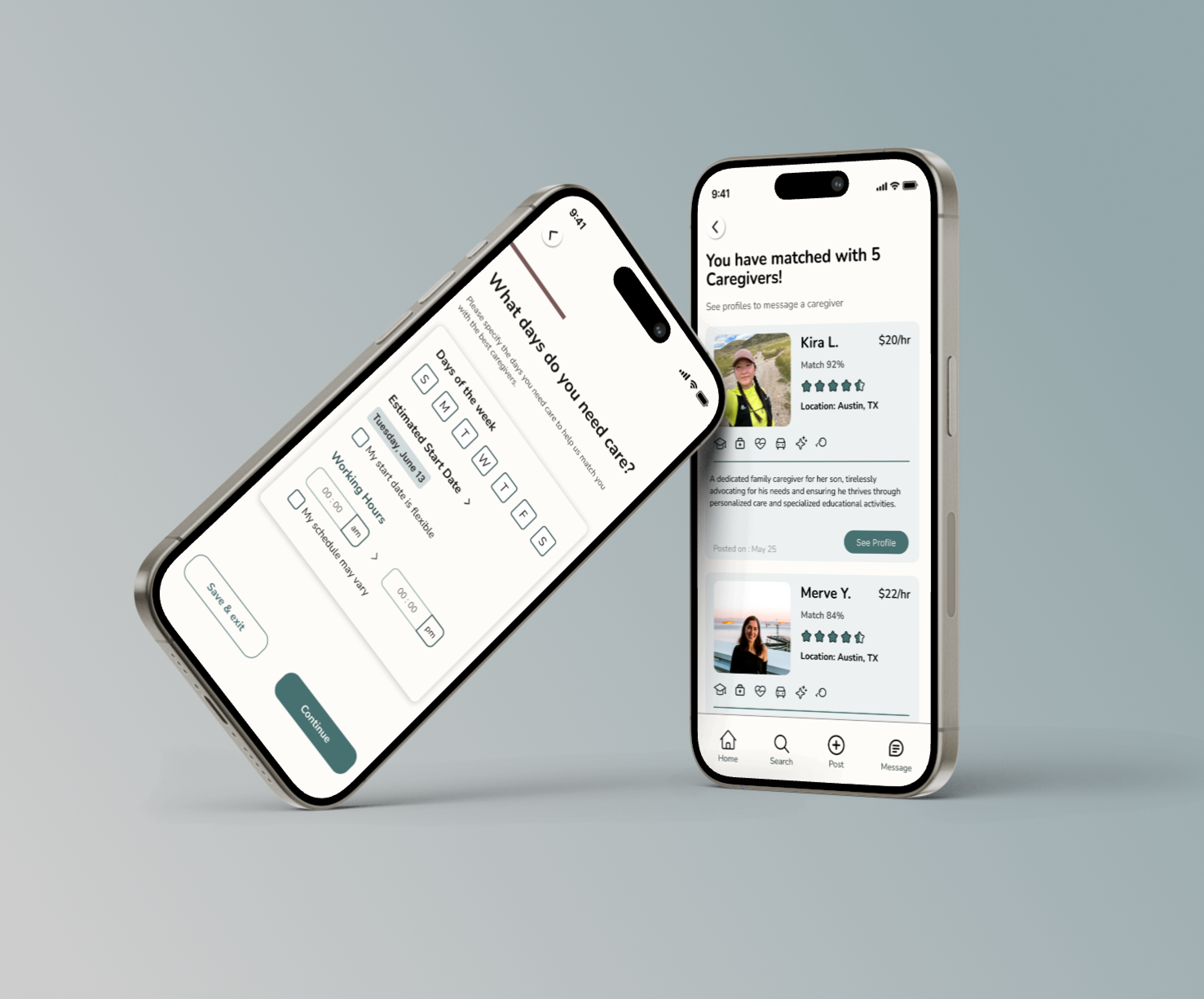
  • Task 2: Can you walk me through what you would do next when you see the list of caregivers that was generated for you.

Usability Stats

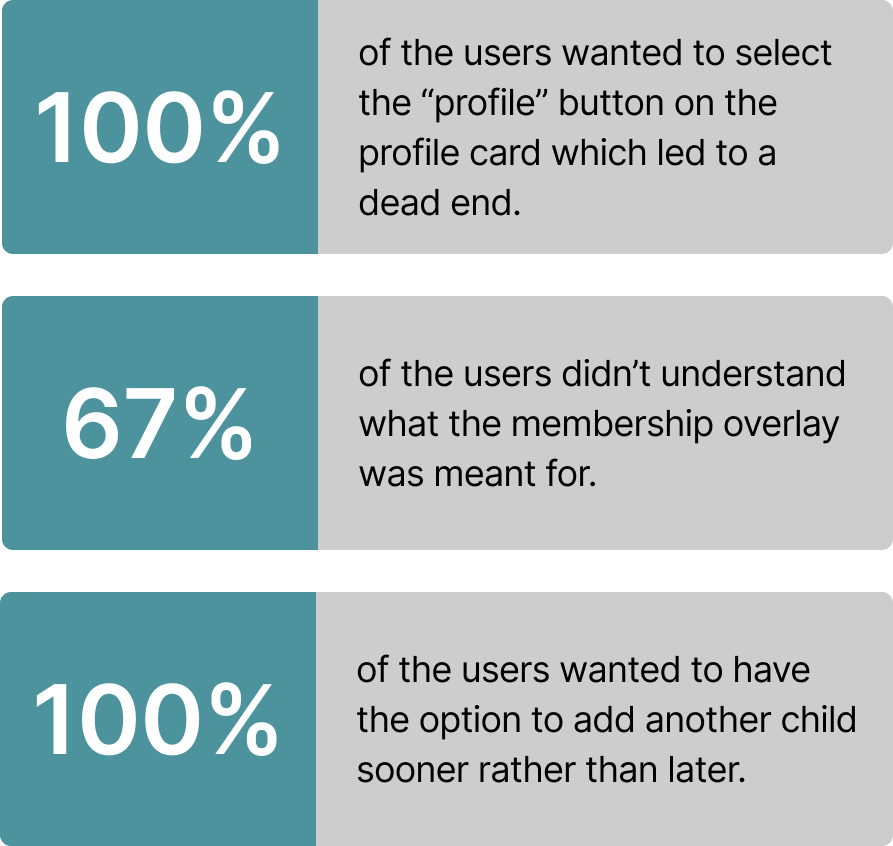
After conducting the usability tests, we had found that the errors included: users felt uncertain where or how to change caretaking preferences and and were also confused on page layouts. Our hopes were for our users to be able to find caretaking easily and with zero confusion. The solution was to simplify the UI design, add more descriptions in text fields, and to add “other” as an option to allow users to be able to find a caretaker that best fits their needs.

A/B Testing

  • As we continued into our design, figuring out what kind of imagery was a challenge. We deliberated on what kind of images to use. Either photos of real people or illustrations.
  • We decided to conduct an A/B test to help finalize our decision. We asked 10 users to answer two questions.
  • We structured our questions so users could look at one of the images and click on either positive or negative words that resinated with them such as "engaging", "off-putting", or "comforting."
  • Results:
  • Our results had showed us that the majority of positive words were picked for the image with real people. The tops words were "engaging" and "friendly.”
  • For the illustration, there were more negative words such as "generic", "distracting" and "inauthentic."
  • With the results in, we decided on using the images of real people.

High Fidelity Mobile Mockups

Next Steps

  • We wanted to create individual profiles for each child so that parents could share a single profile to a caregiver when necessary.
  • We want to offer the ability for both caregivers and parents to go through a background check so that safety is always ensured.
  • A homepage so users can access their profiles, job postings, and educational material to help them get further in their caregiving career.
  • And finally, reiterate hi-fidelity design, making sure it follows the iOS design system.

Testimonials

I am delighted to write this recommendation for Kira, who served as the Project Manager for a comprehensive UX project at Austin Childcare Connection. From start to finish she displayed exceptional leadership, organizational skills, and a keen understanding of user experience principles.

Rachel Wardlaw

Founder

More to Explore

About

Resume

LinkedIn

Email

Want to create something together?

I want in. Lets meet and connect!

Kira

About

Resume

LinkedIn

Email

INDUSTRY:

User Experience

CLIENT:

Austin Childcare Connection

YEAR:

2024

TYPE:

iOS Mobile Design

Austin Childcare Connection
Brief

How we proved that trust, communication, and transparency can foster connection. For our client, we created a parent-focused journey that gives families the ability to view Austin Childcare Connections diverse offerings, signup seamlessly, and customize their preferences to find the perfect caregiver, tailored to their unique needs. 

Concept & Objective

Austin Childcare Connection: An iOS app connecting parents with trusted caregivers through an intuitive, inclusive platform designed to build confidence and foster long-term engagement.

Challenge

Finding skilled childcare is not a quick and easy task. It can be hard for parents to find the right caregiver who hold real experience and are reliable. Trust is vital in this industry.

This is why:

  • Parents trusting the company to find and recommend reliable and trustworthy caretakers for their children.
  • Offering company transparency.
  • Finding care that fits your specific and unique family needs.
  • Creating a mobile caretaking application for parents of all orientations.

Solution

This is how we addressed key user pain points:

  • Speak to both mothers and fathers to discuss their unique needs for themselves and their families.
  • Allowing users discover and explore the app before any commitments.
  • Users can pick and choose their specific needs to find a caregiver that best matches with their needs.
  • Conducted user research, analyzed industry best practices, synthesized insights, and performed accessibility/heuristic evaluations to deliver high-fidelity prototypes and interactive mockups.

User Interviews

  • We interviewed 6 users that consisted of fathers, mothers, and queer parents who utilize child caregiving on a daily bases.
  • Users ages ranged between 35 and 40 years old and were based in California, Colorado, and Texas.
  • We wanted to understand what their needs, pain points, and preferences surrounding childcare and overall online experiences.

What We Asked

  • How often do you use childcare?
  • What caregiving skills and services do you want your caregiver to have?
  • Have you ever faced challenges when searching for childcare services?
  • What makes your favorite app/website memorable and welcoming for you?

Interview Insights

We had found that users wanted caregivers to have a good amount of caregiving experience. They wanted people to be reliable and know what to do if an emergency came up.


  • 6/6 users wanted a range of availability. Users found it important to find care full time, part time, and also on a quick notice.
  • 4/6 of users said having on onboarding feature was helpful
  • 6/6 users were concerned about safety. They expressed wanting caregivers to have a background check and are CPR certified.
  • 5/6 users wanted membership flexibility.


Other insights:

  • Reviews and referrals are important to users. They want to know as much as they can about a caregiver before hire.
  • Being able to trust someone with their children and know what to do in an emergency.
  • And lastly, personality. Users mentioned they want someone their kid and the family can get a long with.

“Language is important for me because if my son cannot speak in Italian, he won’t have the opportunity to communicate with my parents unless I’m translating.”

- Stefano

“I have faced challenges of finding available caregivers for the specific times I need them to be available.”

- Emily

Problem Statement

Working parents are frustrated when trying to find a caregiver who matches both their criteria and their children's needs. They need an ethical and transparent platform to connect with caregivers who are experienced in childcare, prioritize safety, and are reliable.

Task Analysis

Conducted a task analysis across six leading companies to identify industry-standard features and elements that are concise and cohesive along with the signup process and app exploration phase.

Awareness and Safety is For Everyone

After interviewing with queer users, they made it clear that their families needed to know that they would be safe when finding care. They wanted to be sure that they could get caretakers who are aware of their family orientation and/or were also within the queer community. 


The solution to what we had learned after the interviews, was to create an option for parents to select “LGBTQ” under “Other Preferences.” The selection is optional but can help users feel more secure and confident when finding new caretakers.

Usability Testing

  • Conducted 4 usability tests with users who were our previous user interviewees.
  • Users consisted of mothers and queer parents who utilize child caregiving on a daily basis.

Usability Tasks

  • Task 1: Can you show me how you would learn about the platform and move on to creating a job to hire a caregiver. There are various criteria to select from. Select as many criteria that meet your preferences. End the task when you see a list of generated caregivers. 
  • Task 2: Can you walk me through what you would do next when you see the list of caregivers that was generated for you.

Usability Stats

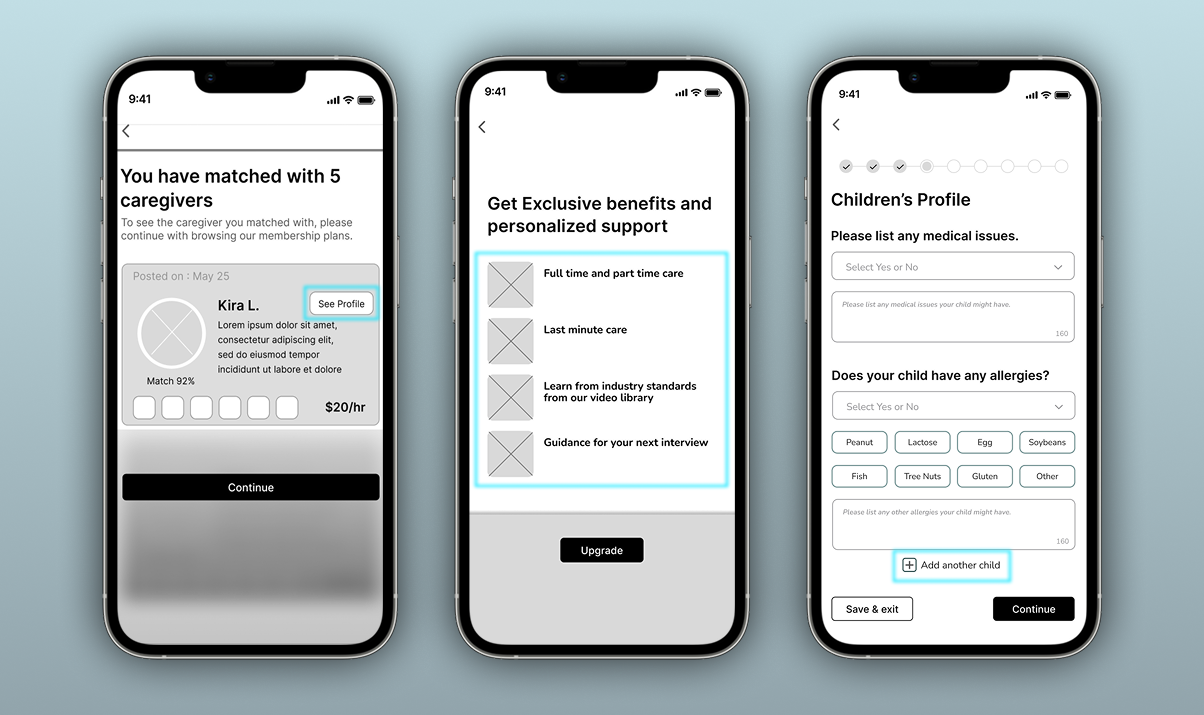
After conducting the usability tests, we had found that the errors included: users felt uncertain where or how to change caretaking preferences and and were also confused on page layouts. Our hopes were for our users to be able to find caretaking easily and with zero confusion. The solution was to simplify the UI design, add more descriptions in text fields, and to add “other” as an option to allow users to be able to find a caretaker that best fits their needs.

A/B Testing

  • As we continued into our design, figuring out what kind of imagery was a challenge. We deliberated on what kind of images to use. Either photos of real people or illustrations.
  • We decided to conduct an A/B test to help finalize our decision. We asked 10 users to answer two questions.
  • We structured our questions so users could look at one of the images and click on either positive or negative words that resinated with them such as "engaging", "off-putting", or "comforting."
  • Results:
  • Our results had showed us that the majority of positive words were picked for the image with real people. The tops words were "engaging" and "friendly.”
  • For the illustration, there were more negative words such as "generic", "distracting" and "inauthentic."
  • With the results in, we decided on using the images of real people.

High Fidelity Mobile Mockups

Next Steps

  • We wanted to create individual profiles for each child so that parents could share a single profile to a caregiver when necessary.
  • We want to offer the ability for both caregivers and parents to go through a background check so that safety is always ensured.
  • A homepage so users can access their profiles, job postings, and educational material to help them get further in their caregiving career.
  • And finally, reiterate hi-fidelity design, making sure it follows the iOS design system.

Testimonials

I am delighted to write this recommendation for Kira, who served as the Project Manager for a comprehensive UX project at Austin Childcare Connection. From start to finish she displayed exceptional leadership, organizational skills, and a keen understanding of user experience principles.

Rachel Wardlaw

Founder

More to Explore

About

Resume

LinkedIn

Email

Want to create something together?

I want in. Lets meet and connect!

Kira

About

Resume

LinkedIn

Email

INDUSTRY:

User Experience

CLIENT:

Austin Childcare Connection

YEAR:

2024

TYPE:

iOS Mobile Design

Austin Childcare Connection
Brief

How we proved that trust, communication, and transparency can foster connection. For our client, we created a parent-focused journey that gives families the ability to view Austin Childcare Connections diverse offerings, signup seamlessly, and customize their preferences to find the perfect caregiver, tailored to their unique needs. 

Concept & Objective

Austin Childcare Connection: An iOS app connecting parents with trusted caregivers through an intuitive, inclusive platform designed to build confidence and foster long-term engagement.

Challenge

Finding skilled childcare is not a quick and easy task. It can be hard for parents to find the right caregiver who hold real experience and are reliable. Trust is vital in this industry.

This is why:

  • Parents trusting the company to find and recommend reliable and trustworthy caretakers for their children.
  • Offering company transparency.
  • Finding care that fits your specific and unique family needs.
  • Creating a mobile caretaking application for parents of all orientations.

Solution

This is how we addressed key user pain points:

  • Speak to both mothers and fathers to discuss their unique needs for themselves and their families.
  • Allowing users discover and explore the app before any commitments.
  • Users can pick and choose their specific needs to find a caregiver that best matches with their needs.
  • Conducted user research, analyzed industry best practices, synthesized insights, and performed accessibility/heuristic evaluations to deliver high-fidelity prototypes and interactive mockups.

User Interviews

  • We interviewed 6 users that consisted of fathers, mothers, and queer parents who utilize child caregiving on a daily bases.
  • Users ages ranged between 35 and 40 years old and were based in California, Colorado, and Texas.
  • We wanted to understand what their needs, pain points, and preferences surrounding childcare and overall online experiences.

What We Asked

  • How often do you use childcare?
  • What caregiving skills and services do you want your caregiver to have?
  • Have you ever faced challenges when searching for childcare services?
  • What makes your favorite app/website memorable and welcoming for you?

Interview Insights

We had found that users wanted caregivers to have a good amount of caregiving experience. They wanted people to be reliable and know what to do if an emergency came up.


  • 6/6 users wanted a range of availability. Users found it important to find care full time, part time, and also on a quick notice.
  • 4/6 of users said having on onboarding feature was helpful
  • 6/6 users were concerned about safety. They expressed wanting caregivers to have a background check and are CPR certified.
  • 5/6 users wanted membership flexibility.


Other insights:

  • Reviews and referrals are important to users. They want to know as much as they can about a caregiver before hire.
  • Being able to trust someone with their children and know what to do in an emergency.
  • And lastly, personality. Users mentioned they want someone their kid and the family can get a long with.

“Language is important for me because if my son cannot speak in Italian, he won’t have the opportunity to communicate with my parents unless I’m translating.”

- Stefano

“I have faced challenges of finding available caregivers for the specific times I need them to be available.”

- Emily

Problem Statement

Working parents are frustrated when trying to find a caregiver who matches both their criteria and their children's needs. They need an ethical and transparent platform to connect with caregivers who are experienced in childcare, prioritize safety, and are reliable.
Task Analysis

Conducted a task analysis across six leading companies to identify industry-standard features and elements that are concise and cohesive along with the signup process and app exploration phase.

Awareness and Safety is For Everyone

After interviewing with queer users, they made it clear that their families needed to know that they would be safe when finding care. They wanted to be sure that they could get caretakers who are aware of their family orientation and/or were also within the queer community. 


The solution to what we had learned after the interviews, was to create an option for parents to select “LGBTQ” under “Other Preferences.” The selection is optional but can help users feel more secure and confident when finding new caretakers.

Usability Testing

  • Conducted 4 usability tests with users who were our previous user interviewees.
  • Users consisted of mothers and queer parents who utilize child caregiving on a daily basis.

Usability Tasks

  • Task 1: Can you show me how you would learn about the platform and move on to creating a job to hire a caregiver. There are various criteria to select from. Select as many criteria that meet your preferences. End the task when you see a list of generated caregivers. 
  • Task 2: Can you walk me through what you would do next when you see the list of caregivers that was generated for you.

Usability Stats

After conducting the usability tests, we had found that the errors included: users felt uncertain where or how to change caretaking preferences and and were also confused on page layouts. Our hopes were for our users to be able to find caretaking easily and with zero confusion. The solution was to simplify the UI design, add more descriptions in text fields, and to add “other” as an option to allow users to be able to find a caretaker that best fits their needs.
A/B Testing

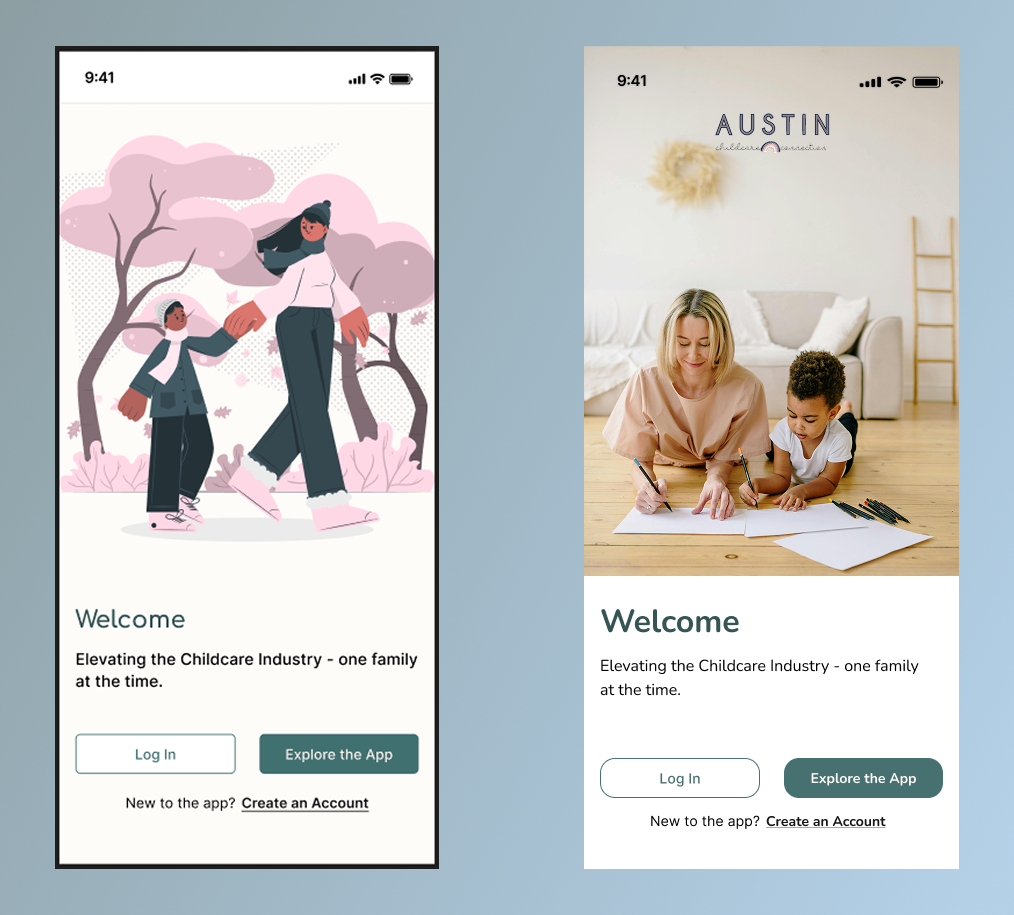
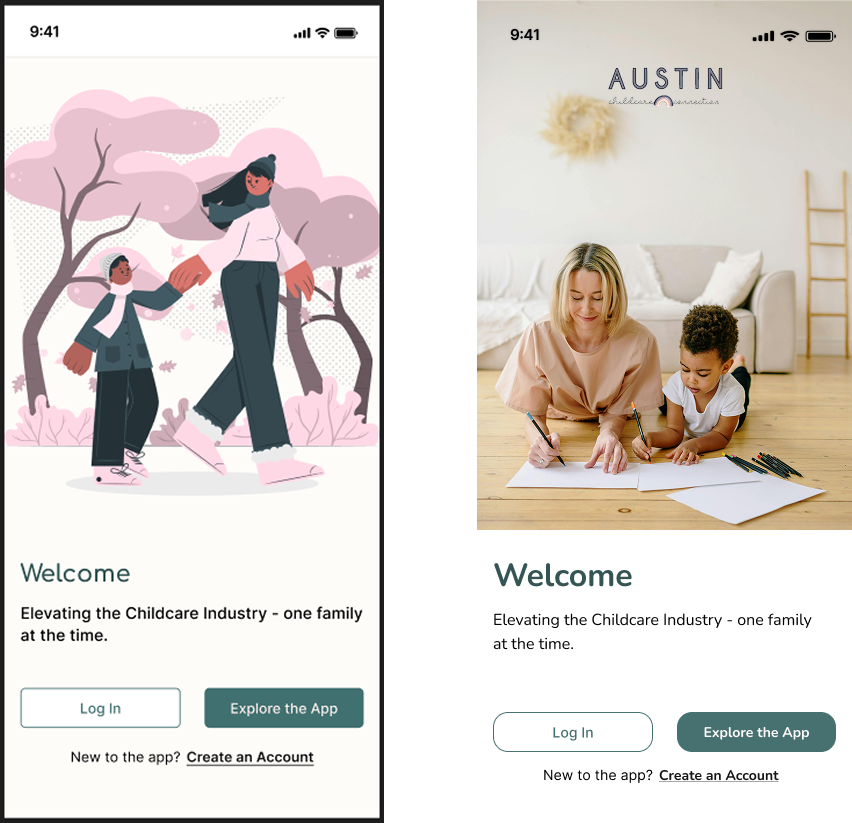
  • As we continued into our design, figuring out what kind of imagery was a challenge. We deliberated on what kind of images to use. Either photos of real people or illustrations.
  • We decided to conduct an A/B test to help finalize our decision. We asked 10 users to answer two questions.
  • We structured our questions so users could look at one of the images and click on either positive or negative words that resinated with them such as "engaging", "off-putting", or "comforting."
  • Results:
  • Our results had showed us that the majority of positive words were picked for the image with real people. The tops words were "engaging" and "friendly.”
  • For the illustration, there were more negative words such as "generic", "distracting" and "inauthentic."
  • With the results in, we decided on using the images of real people.
High Fidelity Mobile Mockups

Next Steps

  • We wanted to create individual profiles for each child so that parents could share a single profile to a caregiver when necessary.
  • We want to offer the ability for both caregivers and parents to go through a background check so that safety is always ensured.
  • A homepage so users can access their profiles, job postings, and educational material to help them get further in their caregiving career.
  • And finally, reiterate hi-fidelity design, making sure it follows the iOS design system.

Testimonials

I am delighted to write this recommendation for Kira, who served as the Project Manager for a comprehensive UX project at Austin Childcare Connection. From start to finish she displayed exceptional leadership, organizational skills, and a keen understanding of user experience principles.

Rachel Wardlaw

Founder

More to Explore

About

Resume

LinkedIn

Email

Want to create something together?

I want in. Lets meet and connect!